Budly
Just landed on the App Store

Track
your spending.

See where your money goes. Simple, fast and intuitive. Set category budgets, follow spending in real time and get the picture of your month in one place.

Download on theApp Store
14 day free trial
Works offlineSyncs across devices
Conversa com Budly AI dentro do app perguntando se pode comprar tênis
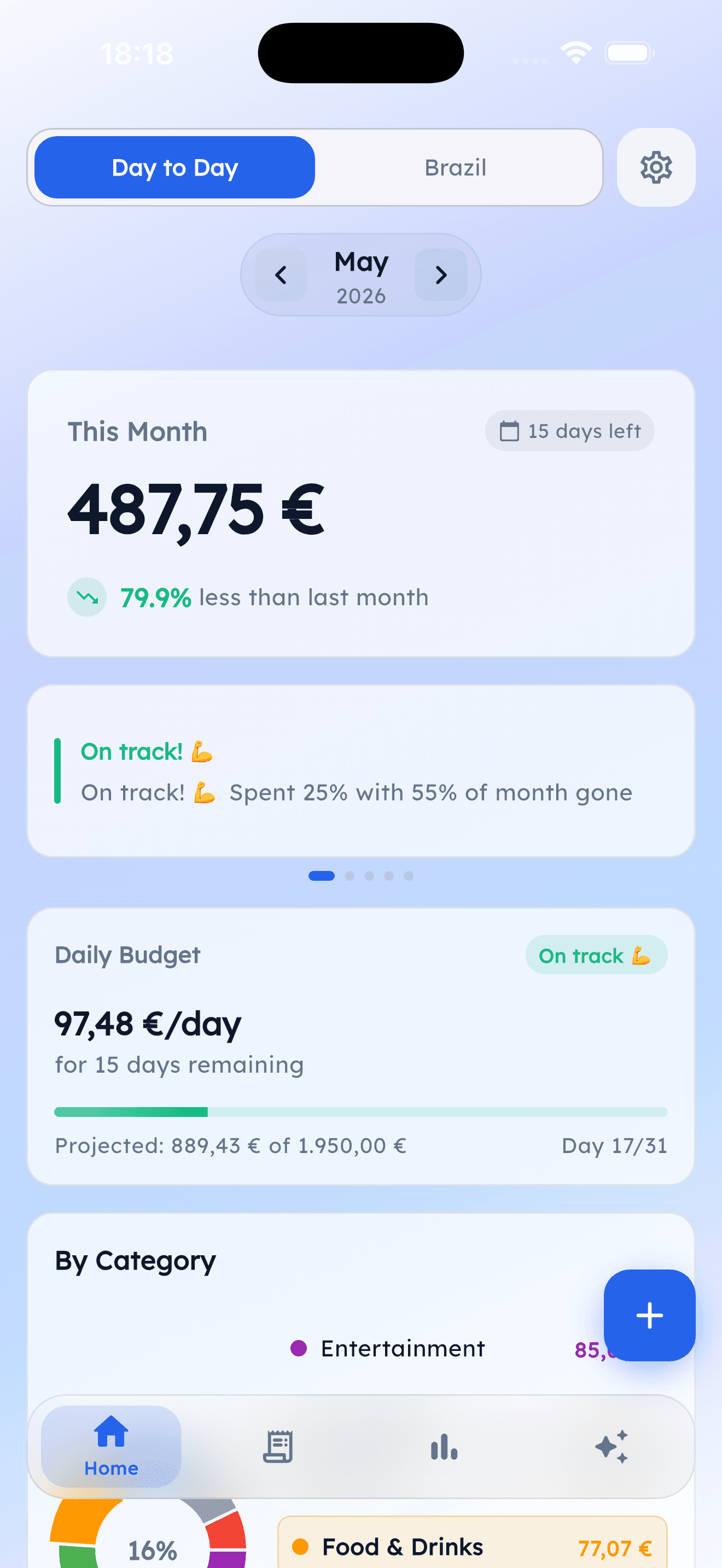
Tela inicial do Budly mostrando saldo do mês, status e orçamento diário

Live on iPhone

Download it from the App Store now. iPad included. Android in the works.

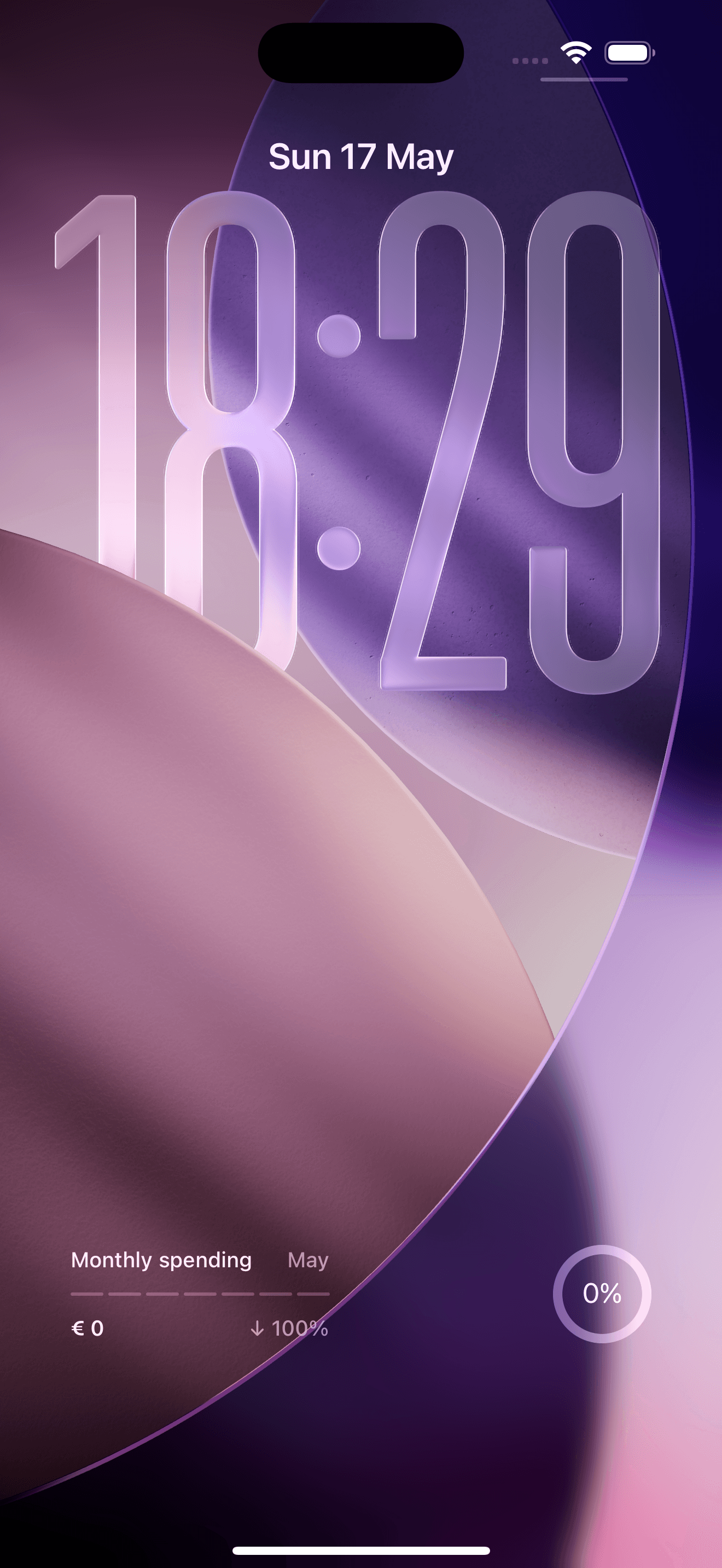
Lock screen widget

Glance your month spend without unlocking your phone. Rare among finance apps.

Multi-currency

Euro, dollar, real and more. Each trip gets its own. Auto conversion.

Three languages

English, Portuguese and Spanish, translated down to the smallest details.

Features

Organize by category,
understand your habits.

Create custom categories with budgets. Pretty charts, clear reports, all inside the app. No spreadsheets, no headaches.

Budget by category

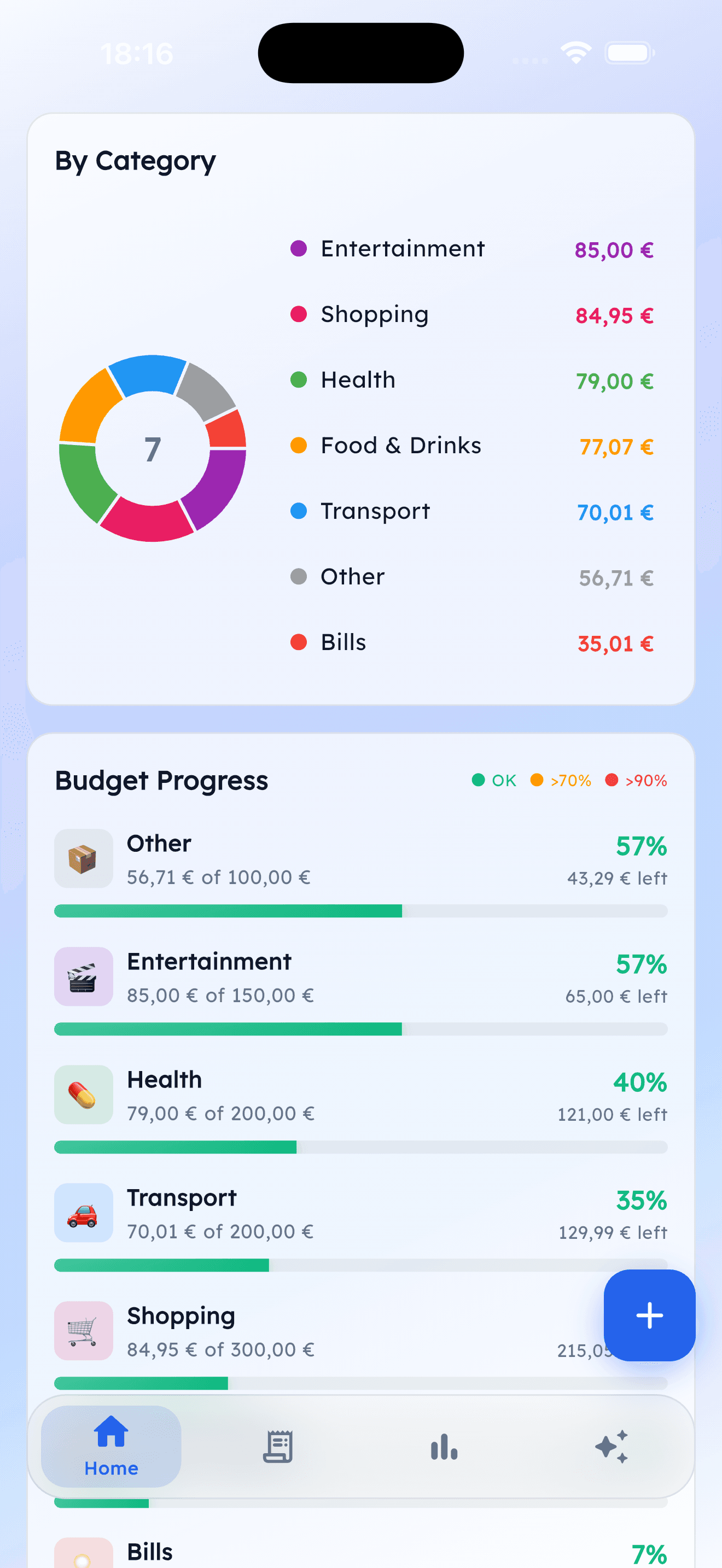
Tell Budly how much you want to spend on groceries, fun, transit. It handles the rest.

Clear monthly view

Month balance, what you've spent and what you can still use, all on the first screen.

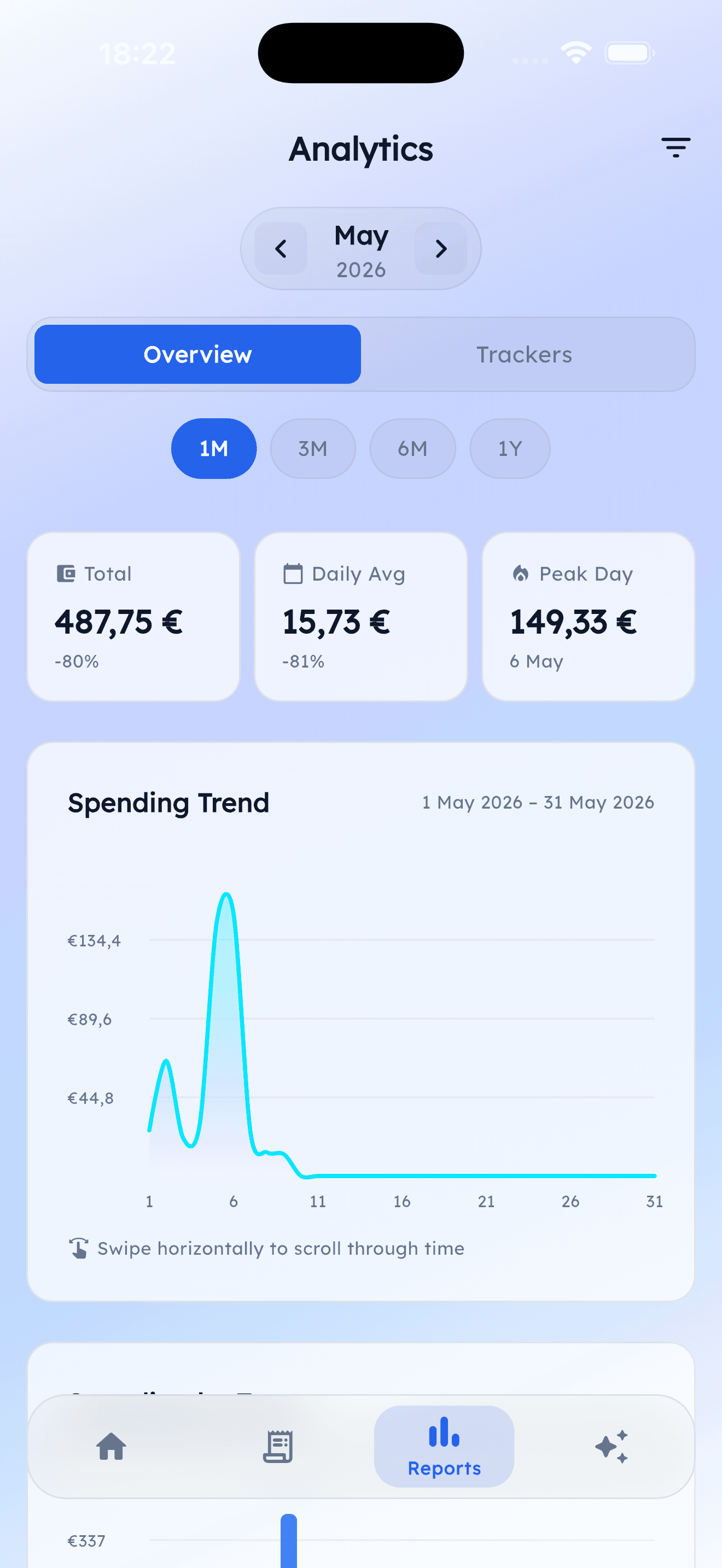
Charts and reports

See where your money went, compare months and find out where you can save.

Alerts that help

Budly warns you when a category is about to blow or when a purchase is out of pattern.

Wallet per trip

Each trip has its own budget, dates and currency. Enjoy without losing track.

Recurring and instalments

Subscriptions, rent and instalment plans show up automatically in the right months.

Bring your data

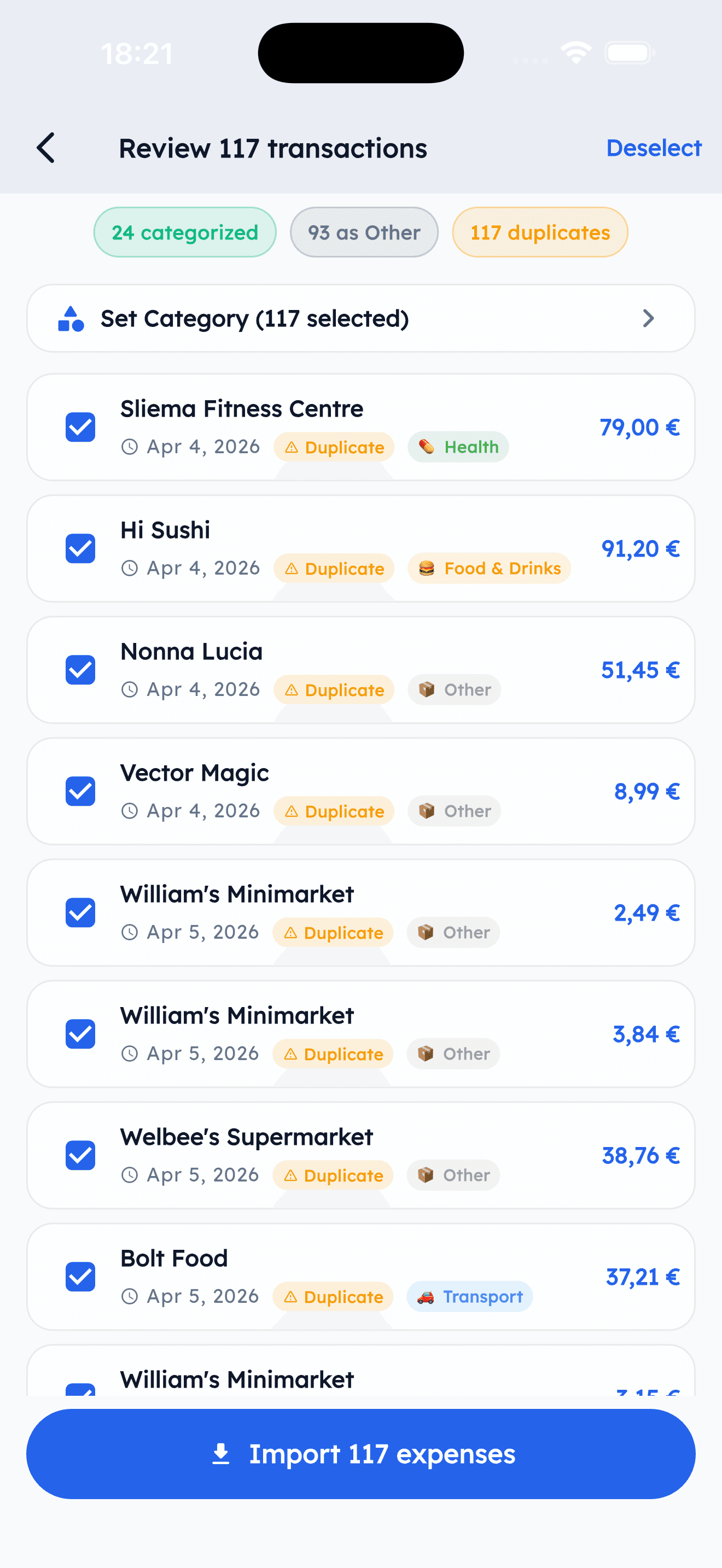
Got a statement from another app or card? Import it in seconds without typing a thing.

iPhone shortcuts

Home screen and lock screen widgets with today's balance. A glance before you spend.

Everything in one place

Today, this month, this year. Full history to revisit whenever you like.

Budly AI

Ask about your spending,
your budget or tips.

An assistant that looks at your real spending and answers with data. No vague replies, it knows what's going on in your month.
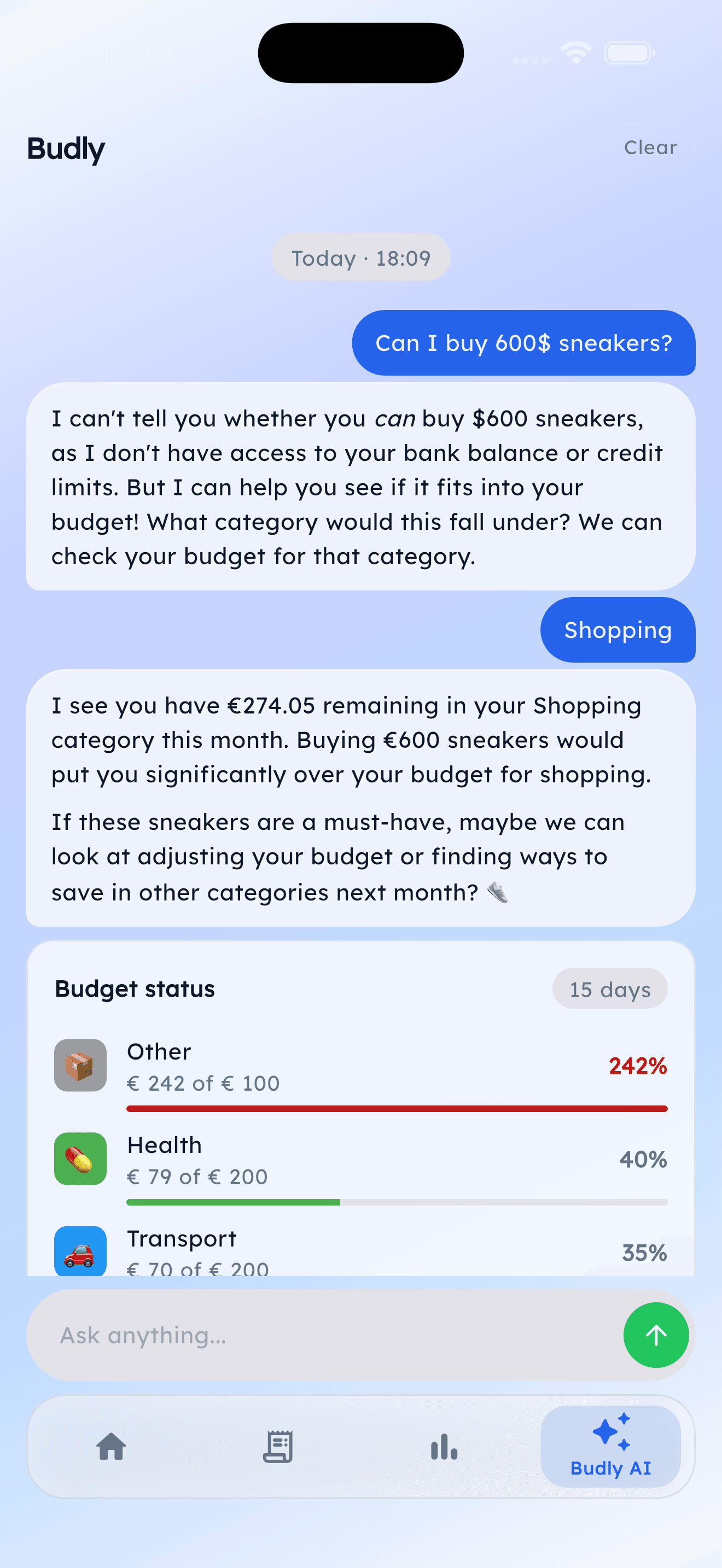
Budly AI chat inside the app, showing an answer about the shopping budget

Pick a style

Professional

“Food represents 38% of your budget, above the recommended 30%.”

Friendly

“Oof, food is eating your budget! 38% gone already. Time to slow down a bit?”

Neutral

“Food represents 38% of your budget this month.”
Trips

A separate wallet,
per destination.

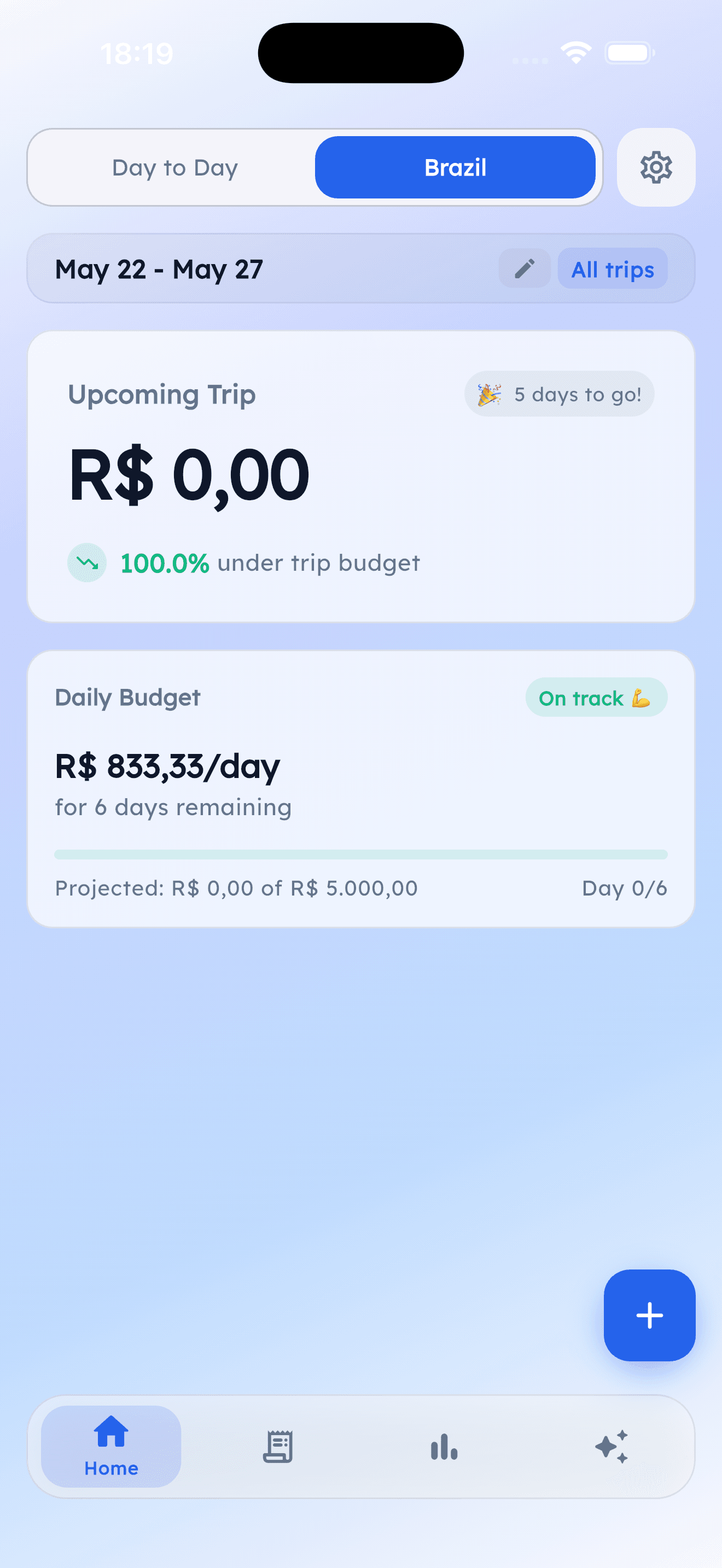
Each trip with its own currency, dates and budget. Anything you log during those days lands in the right travel wallet automatically.

Budly trips screen showing the upcoming trip to Brazil with its own budget

Back home, the app shows how much you spent in total, already converted to your home currency.

Budly Pro

Invest in who you want to be.

People who take care of their money live lighter. Try before you pay. Cancel whenever.

Monthly

For testing the waters

Pay monthly. Cancel any time, no questions asked.

Start 14 day free trial
  • Everything in Pro. Same features as the yearly plan.
  • No commitment. Cancel right in the App Store, anytime.
  • 14 days free. Try the full thing on us before paying.

The price shows up in your app store.

Save more

Yearly

1 month free

Renews once a year. The best value.

Start 1 month free
  • Unlimited transactions. No monthly cap. Log everything, always.
  • Syncs across your devices. Your iPhone and iPad always in line.
  • Insights and forecasts. Trends, comparisons and month projections.
  • Unlimited trips. Group expenses by trip or project.
  • Unlimited categories. Set it up the way it makes sense to you.
  • Bring your data. Import your history from other apps in seconds.

The price shows up in your app store's currency. Auto renew. Cancel 24h before the next charge.

Questions everyone asks.

How much does Budly cost?

There's a free trial either way: 14 days on the monthly plan, or a full month if you go yearly. After that you pay for the plan you picked. The price appears in your app store's currency.

Is my data safe?

Yes. Everything lives on your device first, and sync is encrypted. Sign in with email, Google or Apple, and lock the app with Face ID or fingerprint. You can export or delete everything any time.

How does Budly AI work?

It's an assistant inside the app. You ask about your spending or budget and it answers using your real data. Think of it as a finance savvy friend, with three response styles to pick from: professional, friendly or neutral.

Will it run on my phone?

Yes, on iPhone, iPad and Android. Use it on your phone, your tablet, or both at the same time, always with the same account. iPhone gets home screen and lock screen widgets.

Can I bring my expenses from another app?

Yes. Budly imports statements from digital banks like Revolut and Wise in seconds, no typing required. Other banks that export their statements also work.

Can I cancel any time?

You can. The subscription is handled by the App Store or Google Play, so you cancel there, no questions asked. You keep access until the end of the paid period.

Is there a dark mode?

There is. Light, dark, or following your system. You can also pick from five theme colors to match your style.

Ready to get going?

Start tracking
your spending today.

Get Budly, try it on us (14 days on monthly or a full month on yearly), and get the picture of your month in under a minute.

Download on theApp Store

For iPhone, iPad and Android. Synced everywhere.